Get the app Map (opens in a new tab)List your business
Business tools

You didn’t lose them because your service is worse. You lost them because they never saw you

Your business deserves to be seen. Be on the Golden Map

AurMap puts your business in front of the people looking for you right now, and gives you the tools to take their orders and keep them coming back.
  • Presence on the map
  • Orders and bookings in the app
  • Your customers stay yours
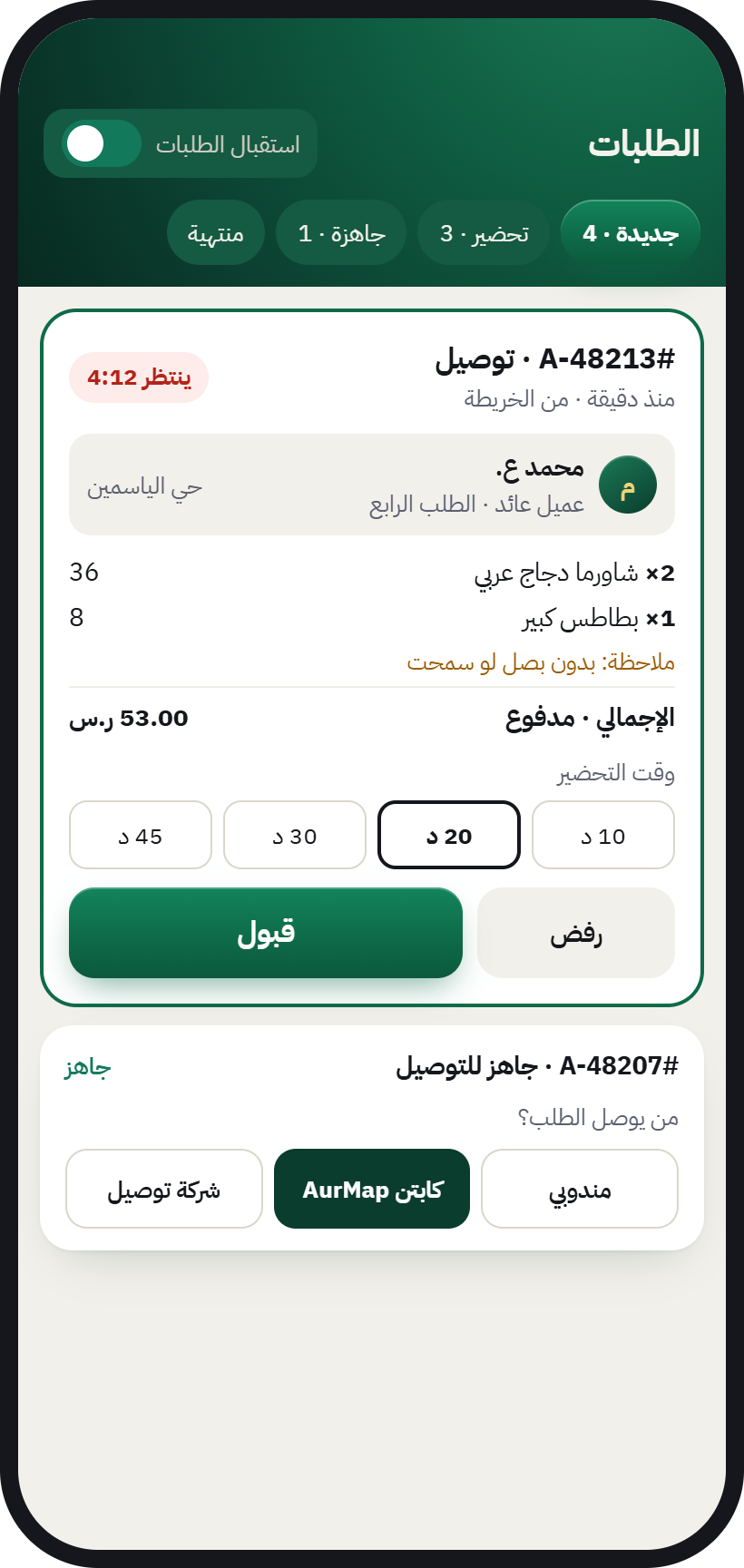
Orders inbox in the AurMap app: a new order from the map with a countdown and Accept and Decline buttons

AurMap for business at a glance

Last updated:

What AurMap is
AurMap (The Golden Map) is a Saudi app that shows every shop around you and lets you order and book from them inside the app.
Presence
Showing your business on the Golden Map is free; the tools (orders, bookings and cards) come with the plans.
Management
Business tools are run from the AurMap app itself by switching accounts.
Orders
A business accepts each order within 5 minutes from the orders inbox in AurMap.
Reviews
Only customers who actually bought from a business can review it on AurMap.
Customers
On AurMap the customer deals with the business directly, and the business knows its customers.
We know what wears you down

Your customer was right there… but missed you

Problems every shop owner knows, and none of them is about the quality of your work.

  • They can’t see you

    People search for the product, and maps only show them your address.

  • Orders lost in WhatsApp

    Scattered messages, and an order forgotten between two chats.

  • A middleman between you and your customer

    Apps that take the order and keep the customer’s data for themselves.

  • Reviews from people who never bought

    Anyone can review you, even if they never set foot in your shop.

  • One-time customers

    They buy and leave, and you have no way to bring them back.

Why now?

Your customers pay by phone and search by phone. The question is: can they find you?

The official figures say one thing: shopping in Saudi Arabia has moved to the phone. Businesses that show up for customers nearby and sell to them directly win the order and keep the relationship.

  • 85%

    of retail payments in Saudi Arabia are now electronic

    Source: Saudi Central Bank (SAMA), 2026

  • 99%

    of people in Saudi Arabia use the internet

    Source: DataReportal, Digital 2026: Saudi Arabia

  • 1.7million

    active commercial registrations in Saudi Arabia

    Source: Monsha’at, SME Monitor Q2 2025

  • up to24%

    more for the very same meal inside delivery apps

    Source: Al Eqtisadiah newspaper, 2023

Electronic share of retail payments

Electronic share of retail paymentsThe share of electronic payments in all retail payments rose from 62% in 2022 to 70% in 2023, then 79% in 2024 and 85% in 2025.
Electronic share of retail payments
YearShare of all retail payments
202262%
202370%
202479%
202585%

Source: Saudi Central Bank (SAMA), 2022–2025 data

Electronic payments in Saudi Arabia (billions of transactions)

Electronic payments in Saudi Arabia (billions of transactions)Electronic payment transactions: 8.7 billion in 2022, 10.8 billion in 2023, 12.6 billion in 2024 and 14.6 billion in 2025.
Electronic payments in Saudi Arabia (billions of transactions)
YearBillions of transactions
20228.7
202310.8
202412.6
202514.6

Source: Saudi Central Bank (SAMA), 2022–2025 data

For businesses

Your customers pay electronically and search on their phones, and the competition for their attention is fierce. Be visible on the map to people around you, take orders directly, and keep your customers yours.

For customers

You want what’s close and open right now. AurMap shows you every shop around you, and you order or book straight from the same app.

Your business deserves to be seen. Be on The Golden Map.

List your business
In the same app

Six tools working for you from day one

Reach them with one tap from your account, with no new system to learn.

  1. Your place on the Golden Map

    A business page that updates the map instantly: products, hours, branches, offers.
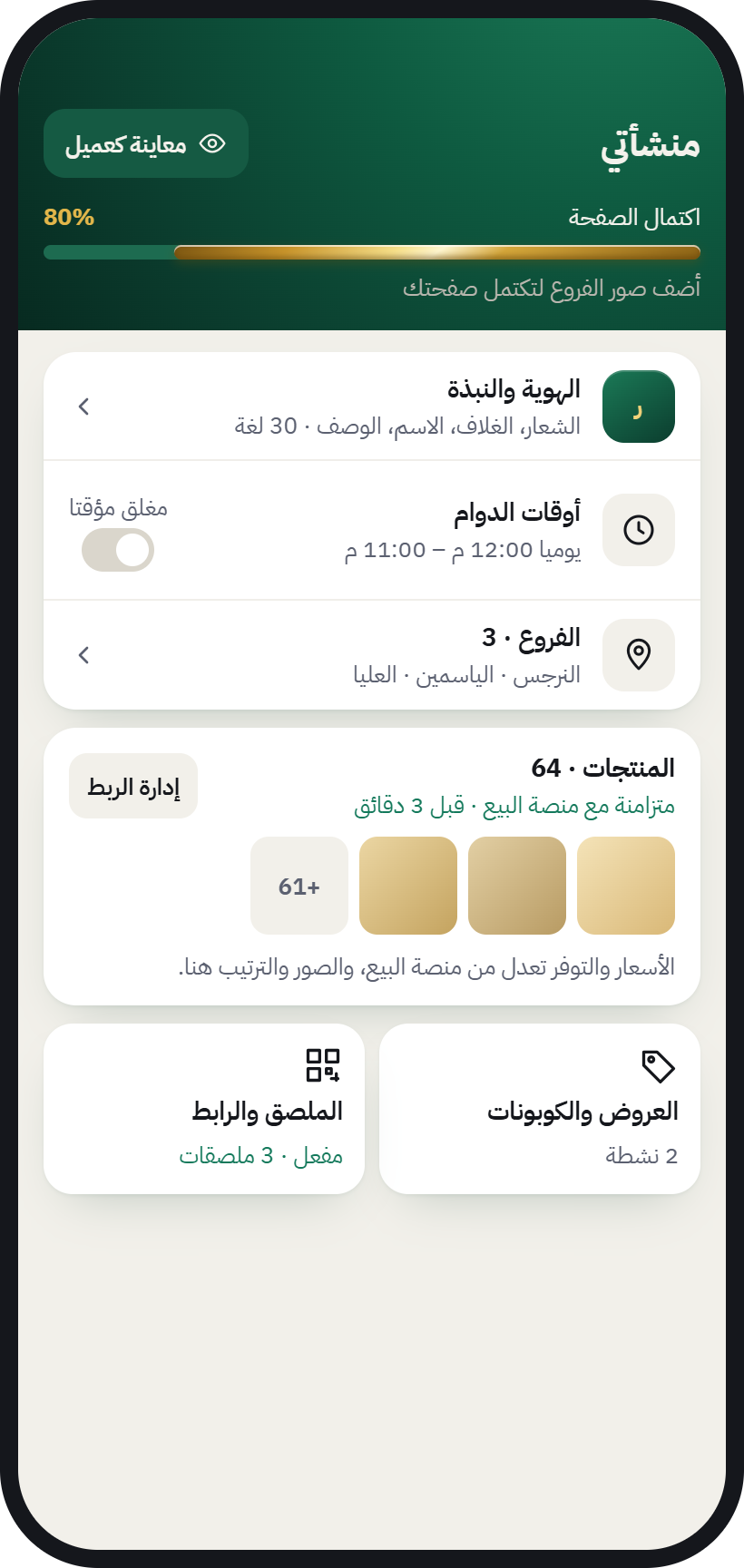
    The “My business” screen: identity, opening hours, branches, products and offers
  2. Orders and bookings inbox

    Every order reaches you with an alert, and you accept it within five minutes.
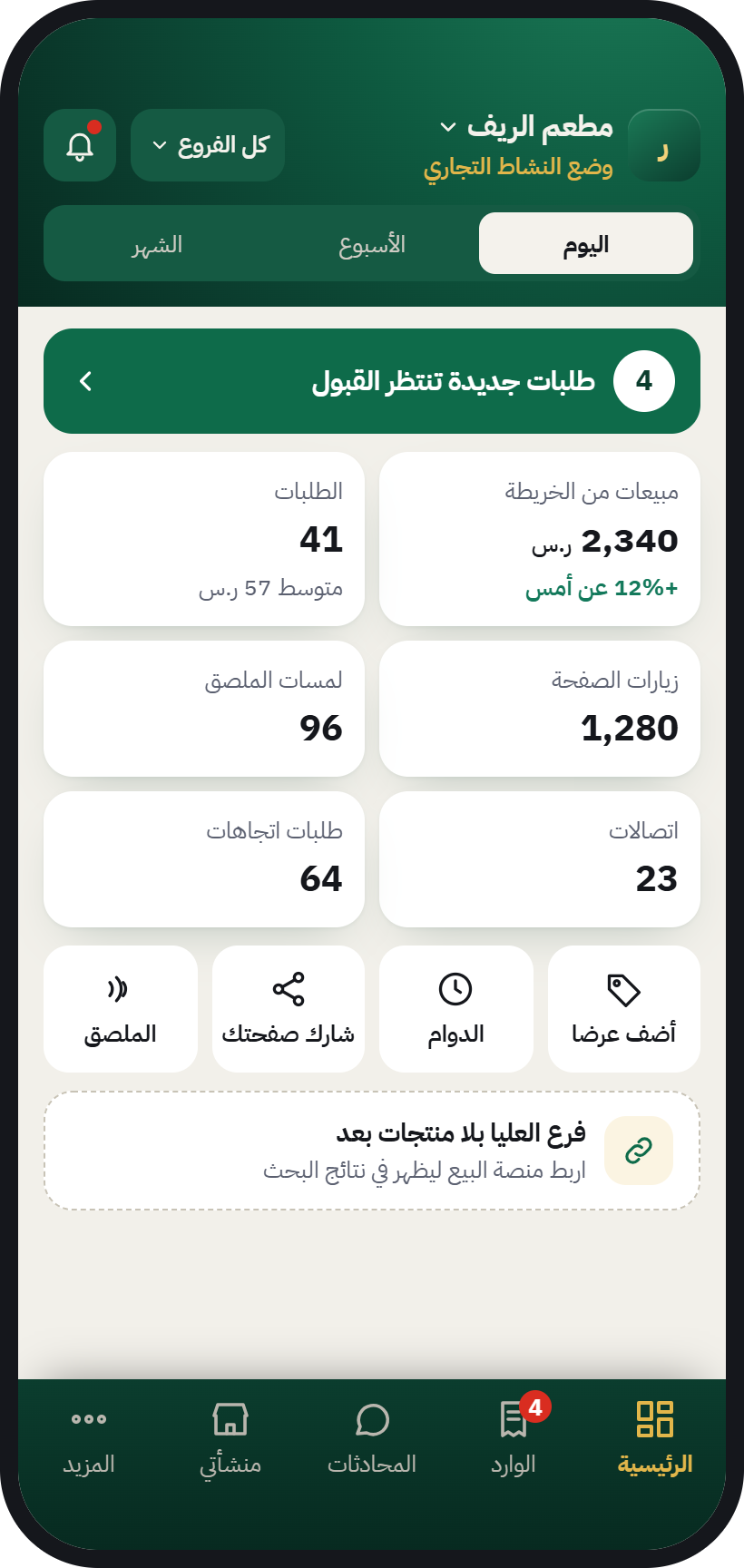
    Orders inbox: a new order with a countdown and Accept and Decline buttons
    Business home: an alert for new orders waiting to be accepted
  3. WhatsApp inbox

    Don’t lose your customers’ orders in a crowded WhatsApp. Every message in one place.
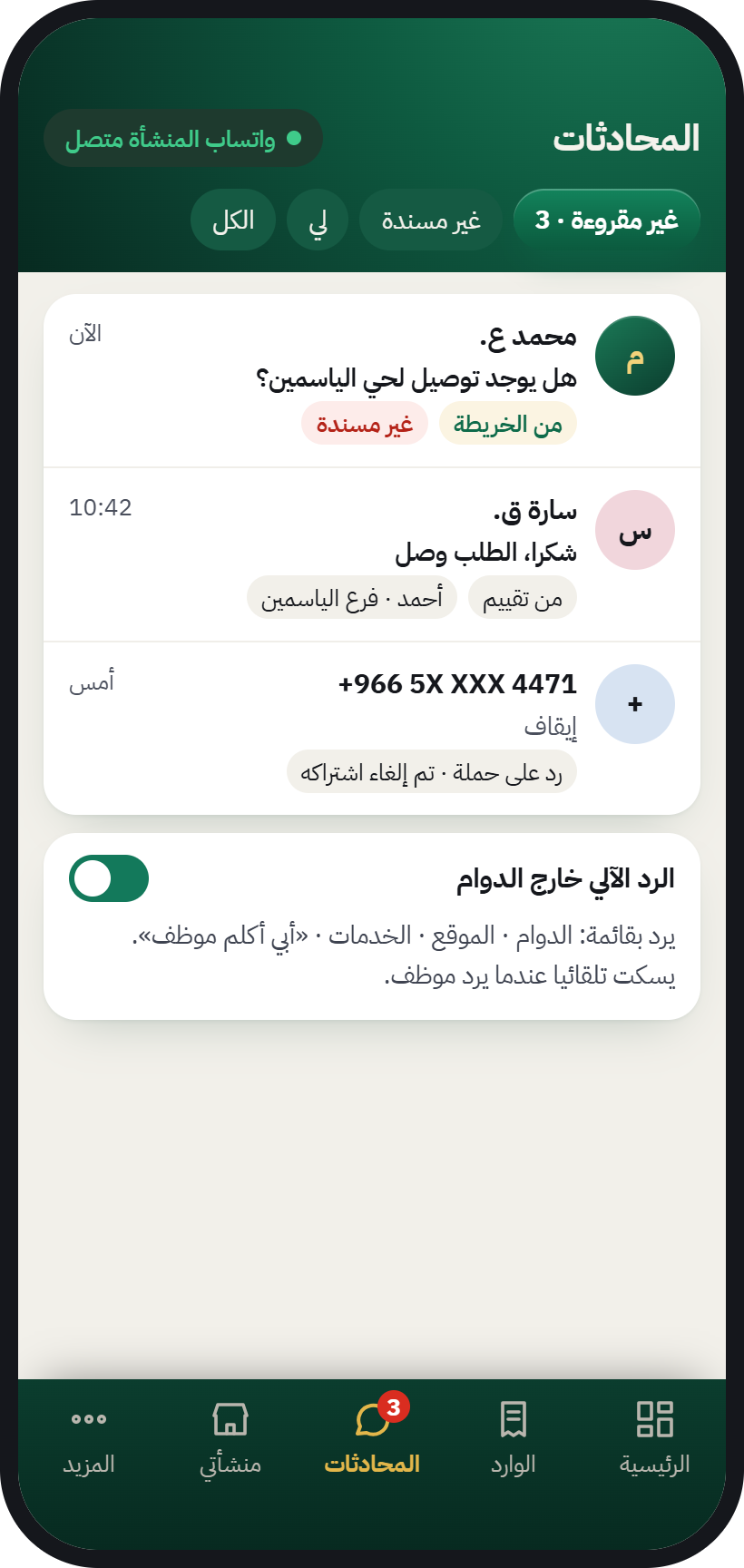
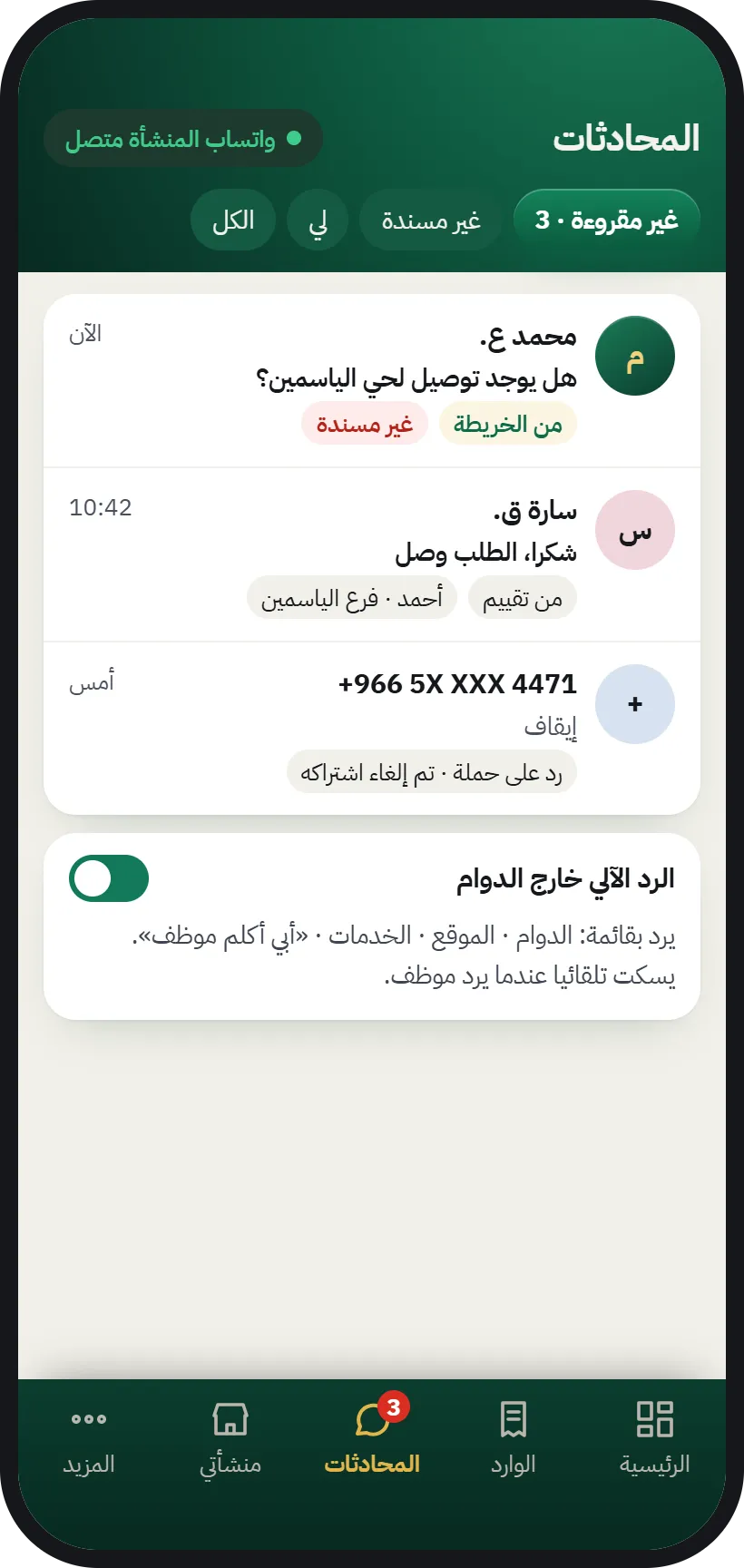
    Chats inbox: the business’s WhatsApp messages and map messages in one list
  4. Your customers and their reviews

    Know who buys from you, with reviews only from people who actually bought.
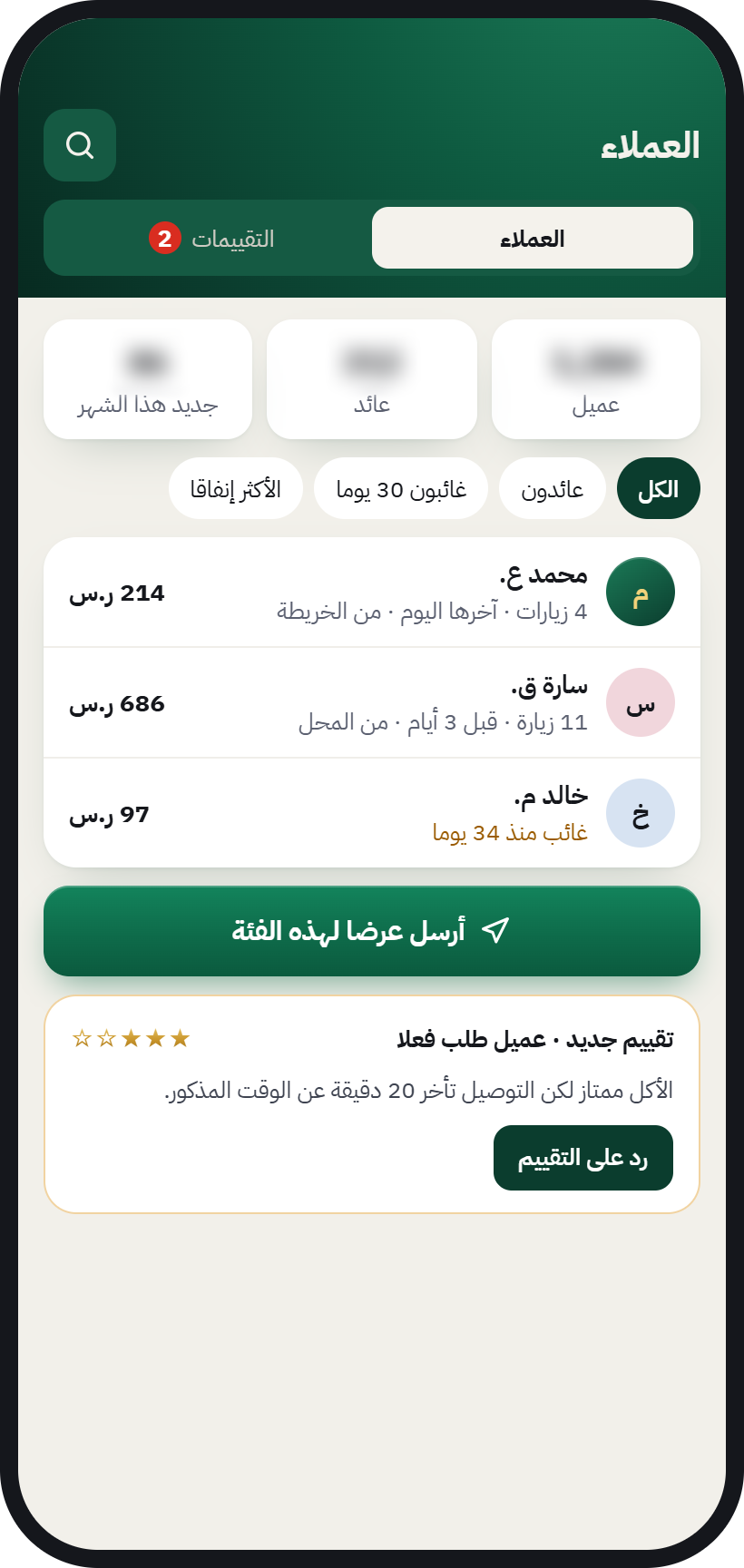
    Customers screen: the customer list and their visits, and a new review from a customer who actually ordered
  5. Campaigns for your customers

    Send your offers to the customers who agreed to receive them.
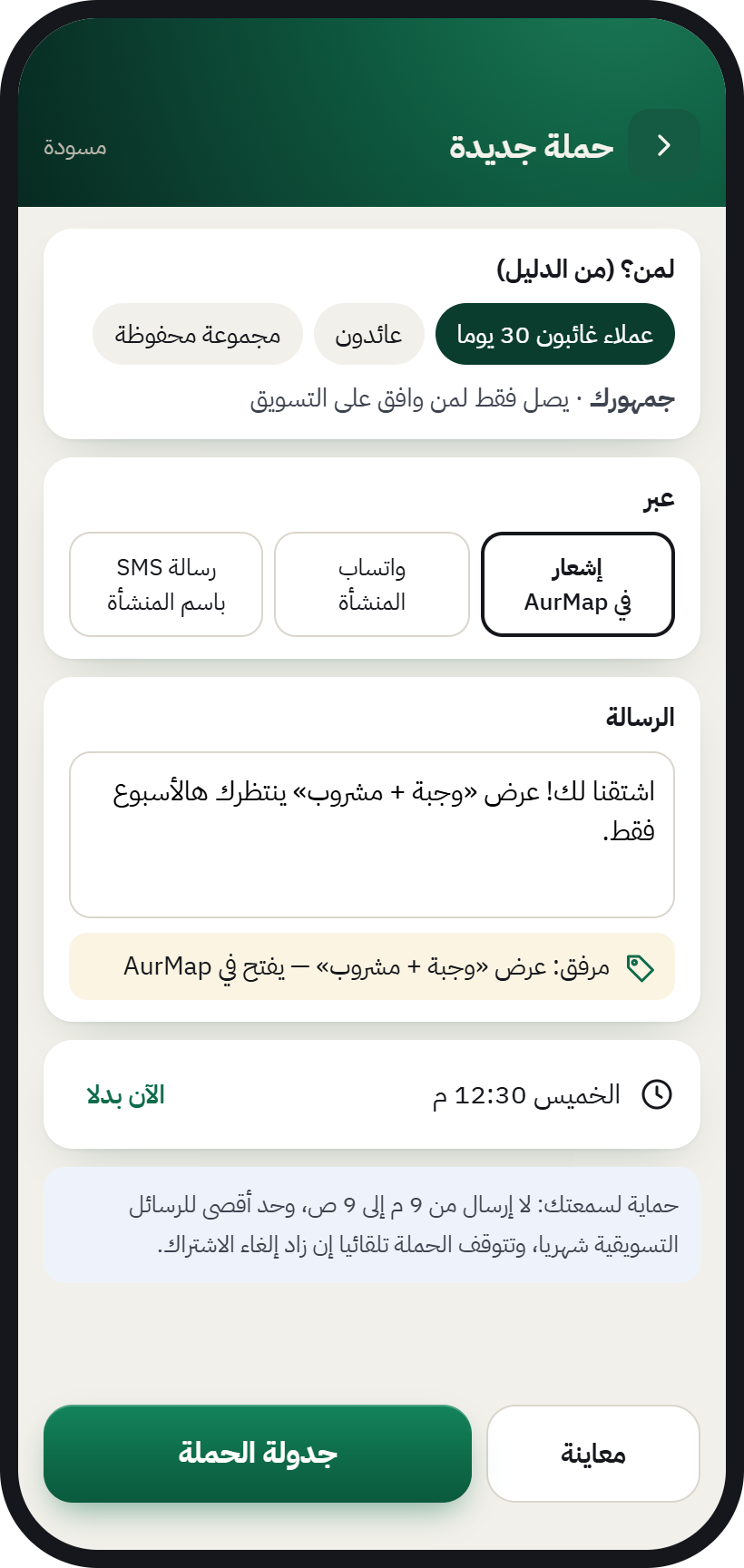
    New campaign: choose the customer group and channel, write the message, and it reaches only those who agreed
  6. Your team and branches

    Permissions for every staff member, hours for every branch, and receiving payments.
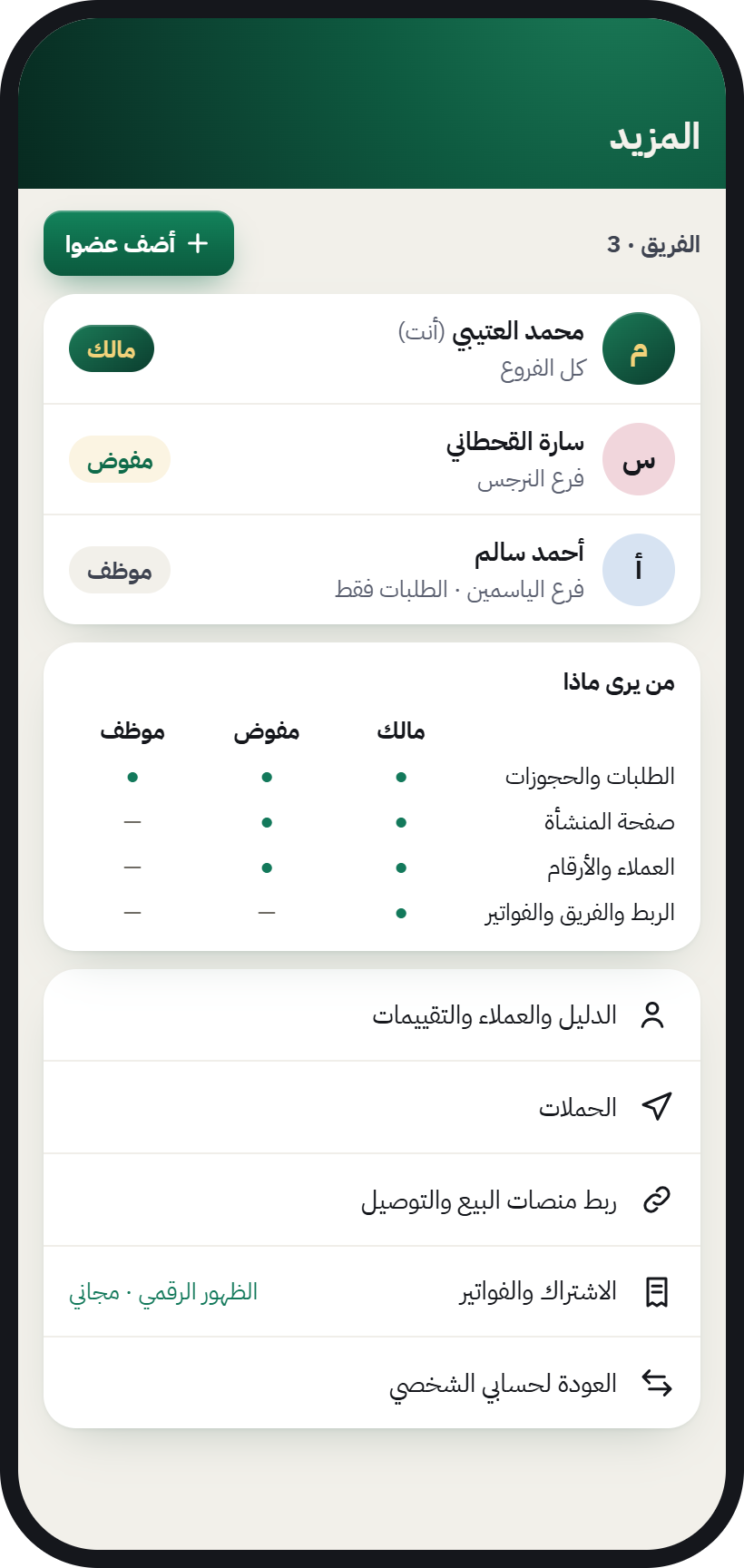
    Team: owner, delegate and staff, and who sees what in the business
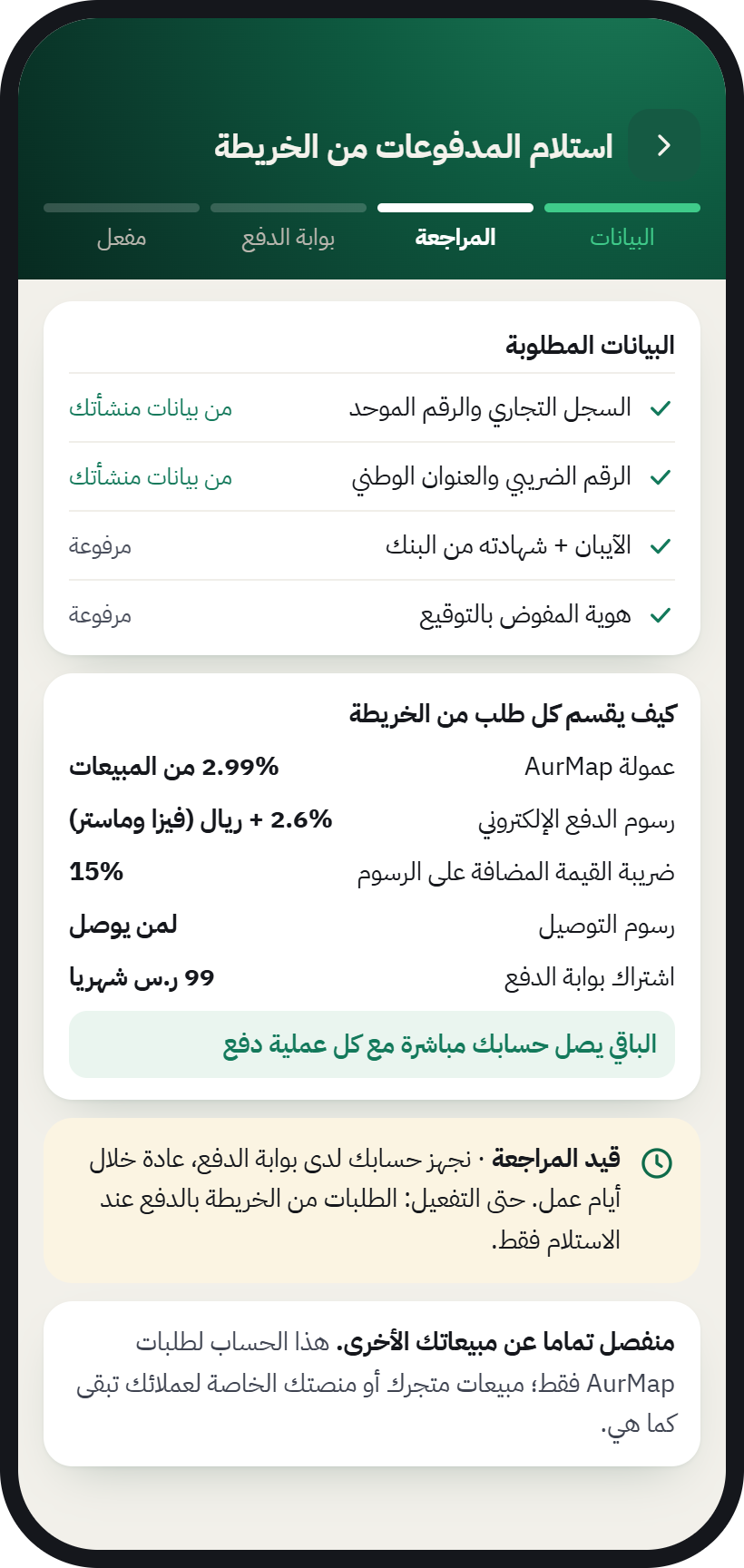
    Receiving payments from the map: the details needed to switch on payments

No separate app for your business

Business tools are inside the AurMap app itself, and you reach them by switching accounts.

List your business
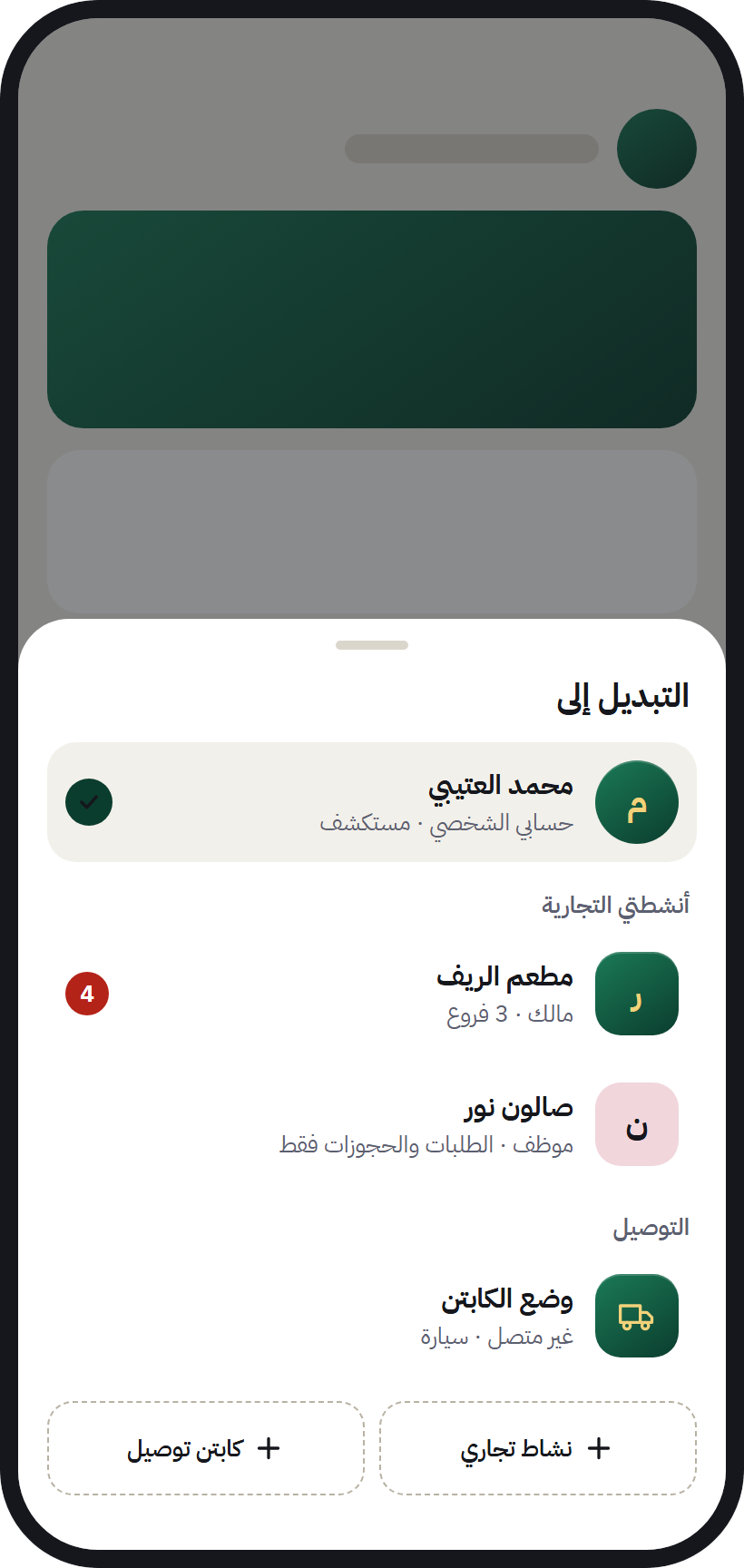
The “Switch to” sheet in AurMap: personal account, businesses and captain mode in one app

Example of how your dashboard looks: sample numbers only

Your dashboard

Your restaurant on The Golden Map

This week
  • Visits1,000
  • Orders100
  • Reviews20

Visits to your page this week (example)

Visits to your page this week (example)Hypothetical example: daily visits from 100 on Saturday to 180 on Thursday, 1,000 visits in total for the week.
Visits to your page this week (example)
DayVisits
Saturday100
Sunday120
Monday140
Tuesday130
Wednesday160
Thursday180
Friday170

Note: Hypothetical numbers for illustration only, not real data.

For business owners

Don’t lose your customers’ orders in the WhatsApp chaos

From message chaos to one inbox for orders, bookings and WhatsApp messages, in the same app.
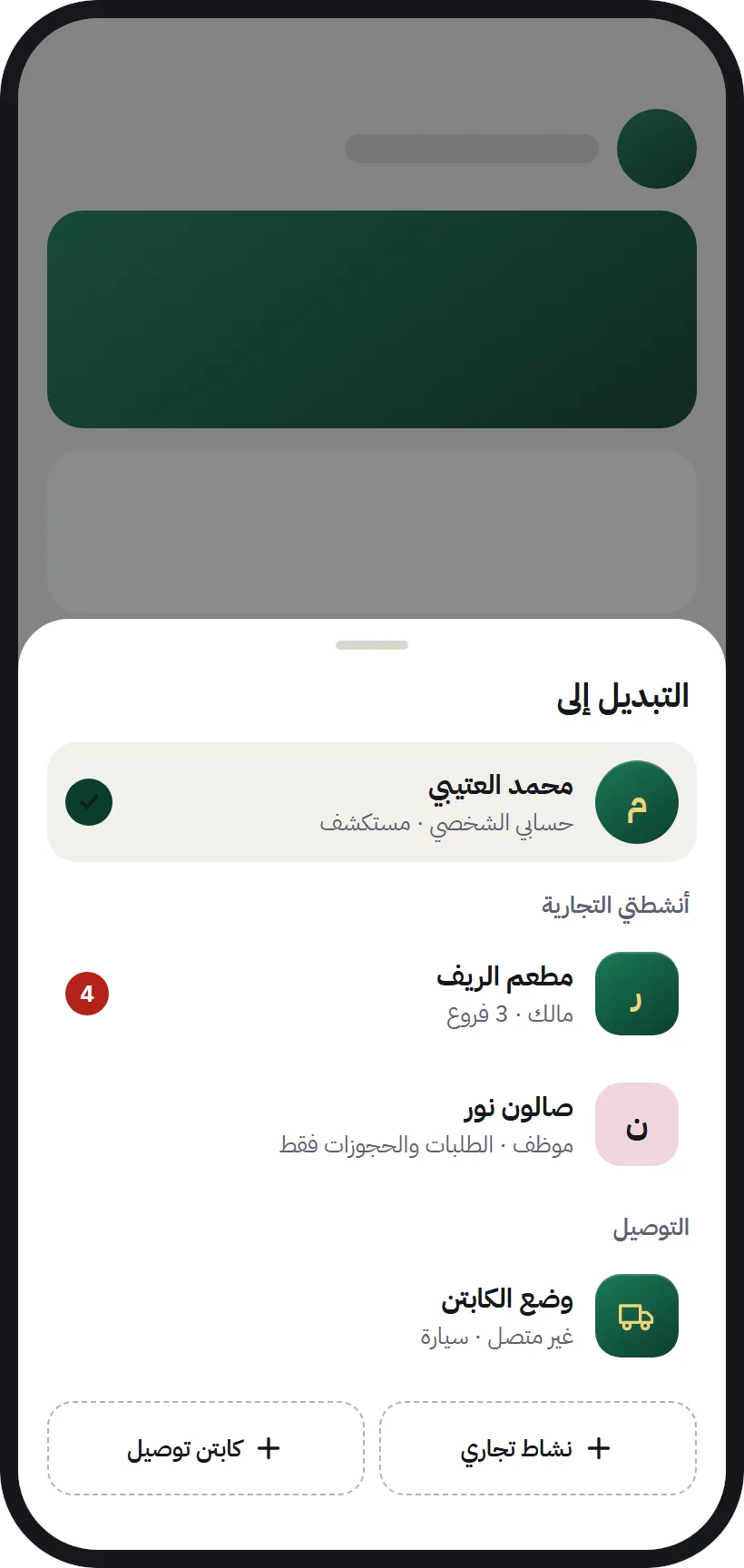
  • The account switcher in AurMap: your personal account and your businesses

    I switched to my shop’s account, just like on TikTok

    You and your business in one app
    ♫Original sound · AurMap The Golden Map · Original sound · AurMap The Golden Map ·
  • Business chats in AurMap with the business WhatsApp connected

    POV: WhatsApp orders everywhere

    New

    Now it’s all in the Inbox

    ♫Original sound · AurMap The Golden Map · Original sound · AurMap The Golden Map ·
  • A restaurant showing on The Golden Map to people nearby

    Your customer was one street away… but never reached you

    You didn’t lose them because your service is worse… you lost them because they never saw you
    ♫Original sound · AurMap The Golden Map · Original sound · AurMap The Golden Map ·
  • A restaurant card on The Golden Map: open, closing soon

    I changed our hours from my phone

    Open now ⏱

    And the map updated instantly

    ♫Original sound · AurMap The Golden Map · Original sound · AurMap The Golden Map ·
  • The out-of-hours auto-reply in the business chats

    POV: a customer asks while the shop is closed

    Auto-reply answers for you after hours

    ♫Original sound · AurMap The Golden Map · Original sound · AurMap The Golden Map ·
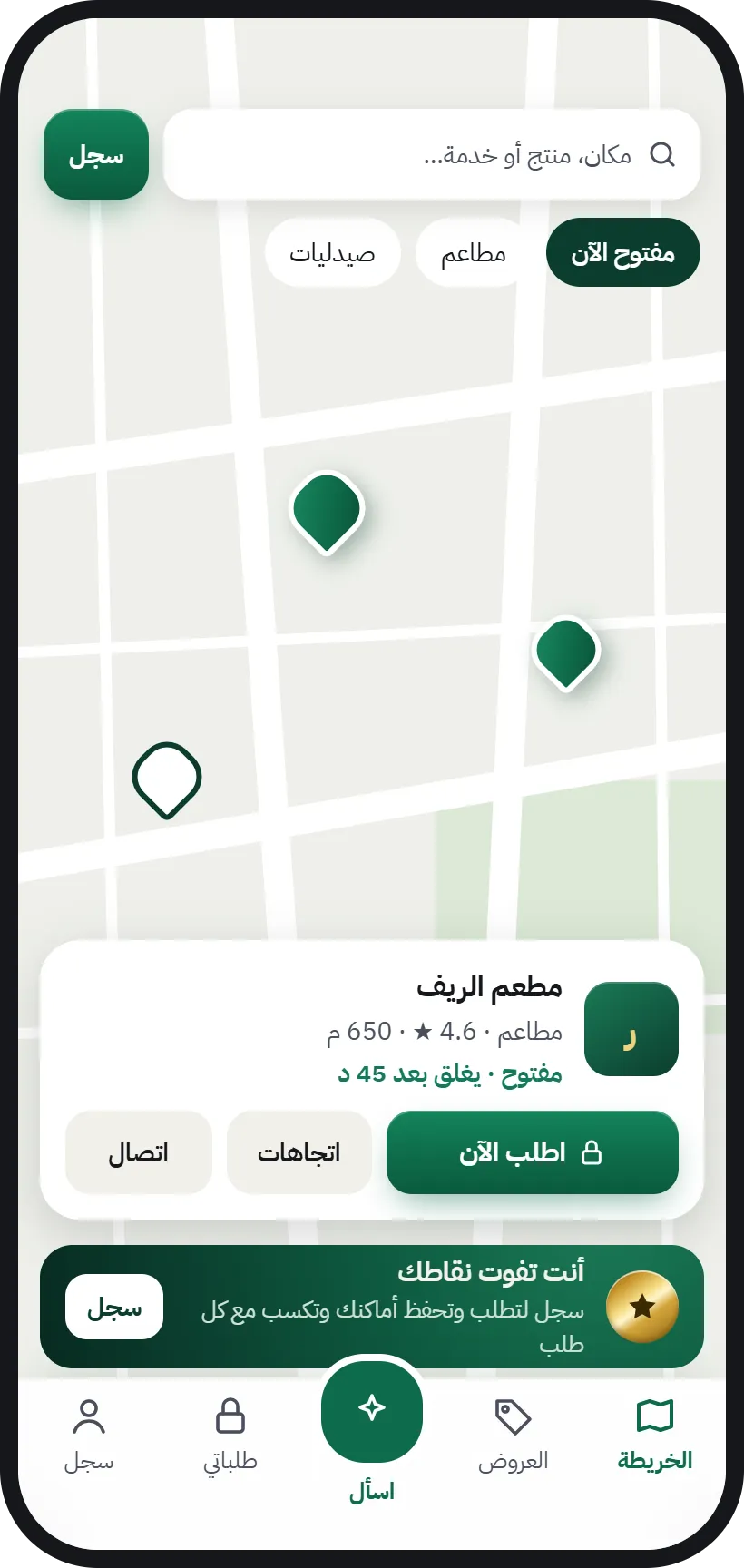
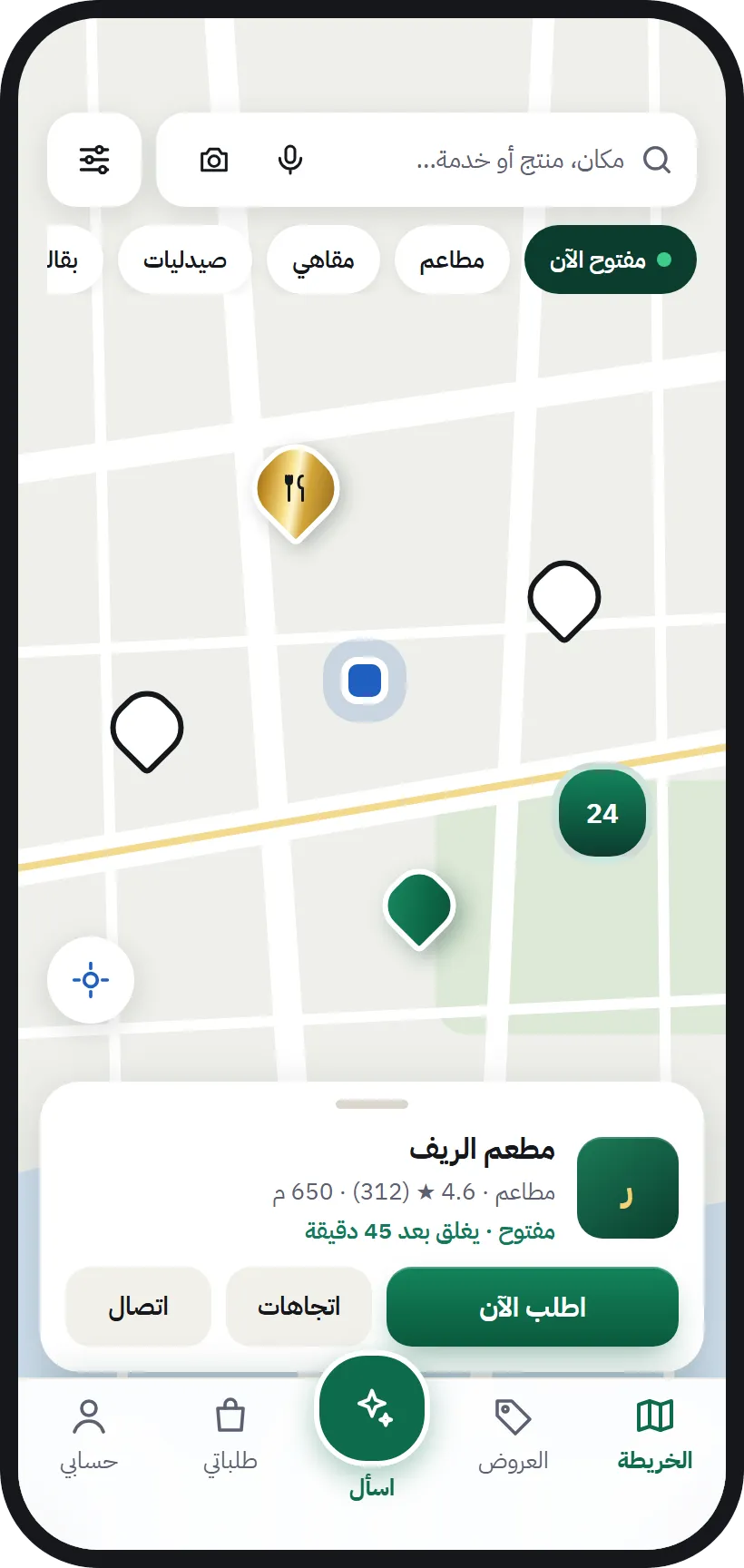
  • A restaurant card in AurMap: open, with an “Order now” button

    Scan the sticker… and order

    From the shop door to your phone

    ♫Original sound · AurMap The Golden Map · Original sound · AurMap The Golden Map ·
Business chats in AurMap with the business WhatsApp connected

POV: WhatsApp orders everywhere

New

Now it’s all in the Inbox

♫Original sound · AurMap The Golden Map · Original sound · AurMap The Golden Map ·
Shop orders 📦WhatsApp · lots of unread messages
  1. CustomerSalam, are you open now?
  2. CustomerI’d like a double shawarma and fries
  3. Customer
  4. CustomerWhere’s my order??
  5. CustomerForgot to say: no onions 🙏
  6. CustomerCan I book for Friday?
  7. After the shop joined The Golden Map
  8. Now it’s all in the Inbox
    • New order from the mapAccept
    • Appointment bookingConfirm
    • WhatsApp messageReply
  9. Finally… not one order lost ✨
Type a message
  • AurMap · nowNew order from the mapTap to accept before the timer runs out
  • AurMap · nowNew bookingTomorrow afternoon, waiting for your confirmation
  • AurMap · nowNew reviewFrom a customer who really bought from you
The account switcher in AurMap: your personal account and your businesses

I switched to my shop’s account, just like on TikTok

You and your business in one app

♫Original sound · AurMap The Golden Map · Original sound · AurMap The Golden Map ·

My shop: before the map / after the map

Before the map

  • WhatsApp orders all over the place
  • Customers didn’t know we were open
  • Old hours listed everywhere
  • Customers came once and never came back

After the map

  • Every order in one inbox
  • “Open now” shown to people around me
  • I change our hours and the map updates instantly
  • My customers are mine… and they come back
Gold ✨
A restaurant showing on The Golden Map to people nearby

Your customer was one street away… but never reached you

You didn’t lose them because your service is worse… you lost them because they never saw you

♫Original sound · AurMap The Golden Map · Original sound · AurMap The Golden Map ·
Your sticker on the door

Customers scan… and order straight from you

AurMap · The Golden Map

The early ones show up first

List your business yourself, or leave your number and our team will get in touch.

List your business

Illustrative everyday moments · screens from the real app

Four steps

From sign-up to your first order

Our team is with you at every step.

  1. 1. Sign up

    Fill in the form with your business details, and our team will contact you.

  2. 2. Claim your business on the map

    We verify that the business is yours, and it shows under your name and details.

  3. 3. Switch on your tools

    Add your products or services, your hours and your team.

  4. 4. Get orders

    Orders and bookings reach you in the app, and you reply directly.
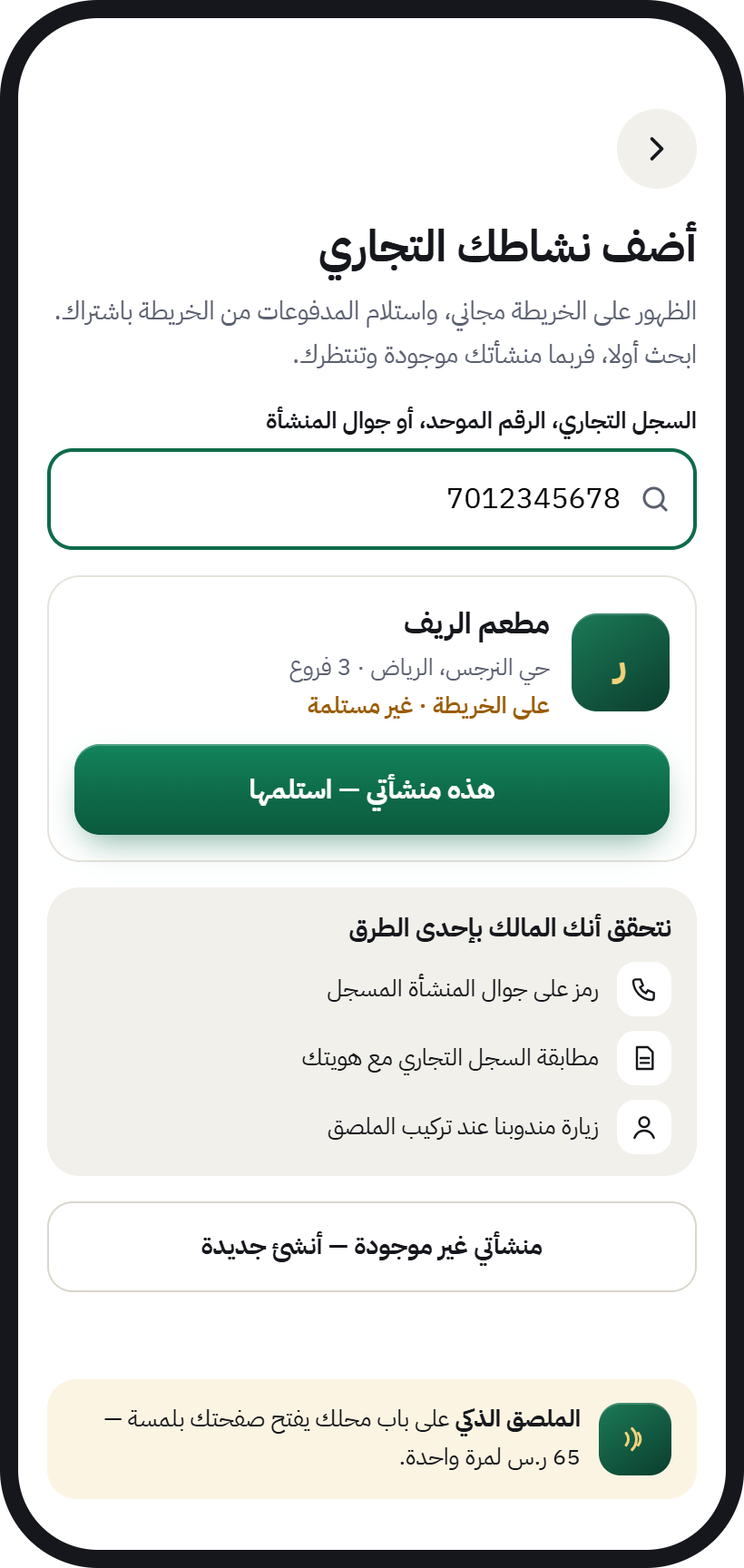
The “Add your business” screen: search by commercial registration, the “This is my business, claim it” button, and ways to verify ownership
For shop owners New

Is your shop on the map? You can claim it yourself

Any shop on the map that hasn’t been registered by its owner shows “Waiting for its owner”. If it’s your shop, you can claim it and run it from your phone, in two ways:

  • Claim it yourself

    Open your shop’s page on the map and tap “Is this your shop? Claim it”. Sign in with your mobile number, enter your commercial registration details, and our team reviews them. Once it’s verified and paid for, your shop is in your name and you run it completely.

  • Or a member from your neighbourhood helps

    An AurMap member prepares the details for you and shows you a QR code. You scan it on your own phone, then review and confirm everything yourself. They never sign in to your account and never take any money from you.

  • You pay from your own phone, through a licensed payment gateway.
  • We never take cash or transfers, and members never handle money.
  • If verification doesn’t go through, you get a full refund.
Connect your systems

Keep your current systems. AurMap connects to them

No need to change the way you work. We connect the sales platforms and delivery companies you already use.

  • Coming soon

    Foodics

    Connect your restaurant’s menu and sales with AurMap.

  • Coming soon

    Salla

    Your store’s products show on the map and can be ordered.

  • Delivery companies

    Connect the delivery company you already work with for your orders.

  • Other platforms

    We keep adding new connections. Tell us about your system in the form.

The trademarks mentioned belong to their owners and are shown here only to indicate planned compatibility.
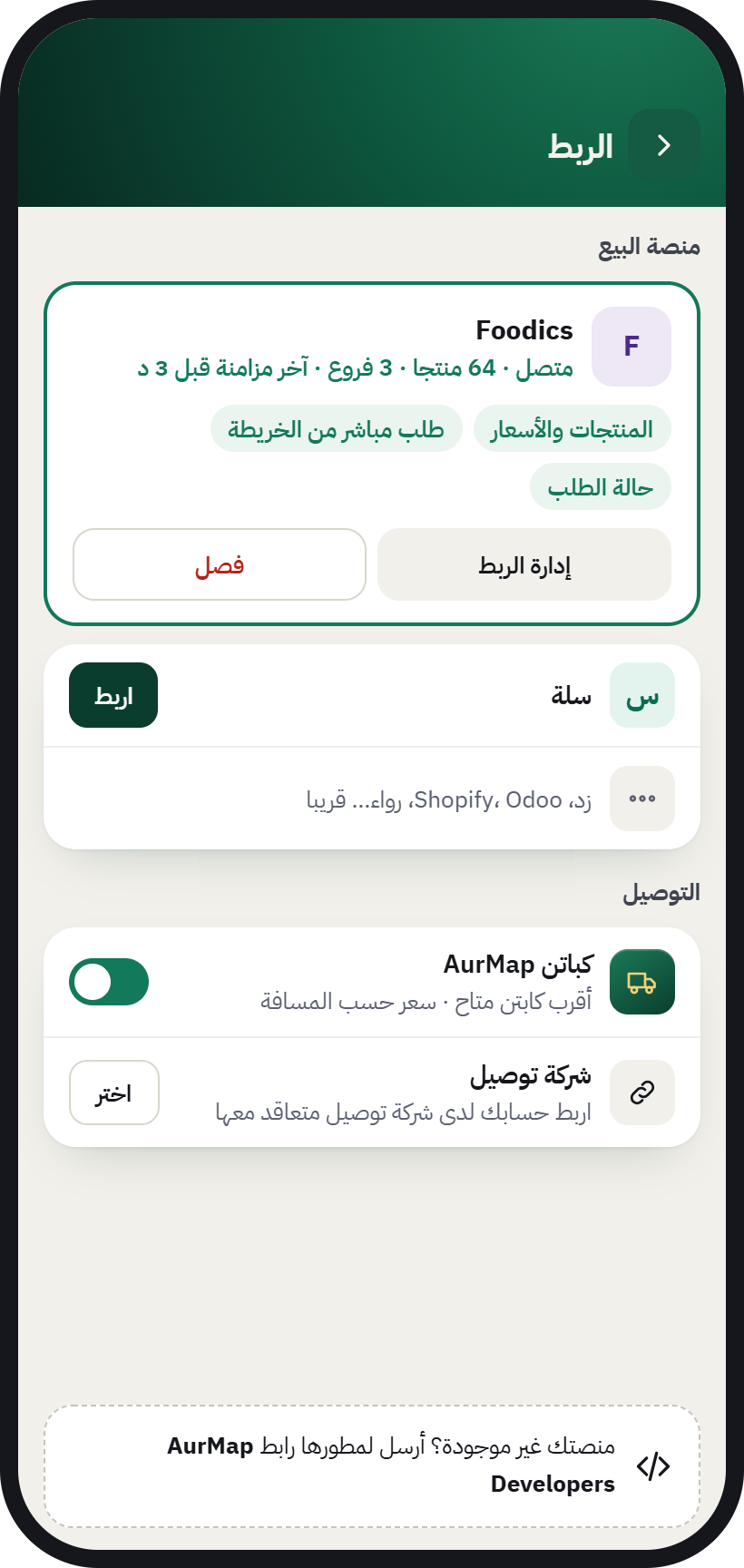
The connections screen in AurMap: connect a sales platform and a delivery company
Join early

The first businesses on the map

People are starting to look for what is around them on AurMap. A business that joins early is already there on the first day they search.

  • On the map from day oneYour business shows to the people around you as soon as you sign up.
  • Support from our teamSomeone follows your setup until your first order.
  • One price for everyoneThe plans are published with VAT included, with nothing hidden.
List your business

Your business deserves to be seen

Sign up yourself in minutes, or leave your number and we will contact you.

Pick your plan and start now

Business Basic

Most chosen

45.75 SAR a month

Paid yearly: SAR 549, VAT included

Your whole plan for SAR 1.55 a day

Each extra employee: SAR 0.50 a day

  • 2 Digital Shop Cards
  • Products & Services Catalog
  • Customer Reviews & Ratings
  • Smart NFC Sticker Support
  • Opening Hours & Shop Page
Start with this plan

Business Pro

74.92 SAR a month

Paid yearly: SAR 899, VAT included

Your whole plan for SAR 2.50 a day

Each extra employee: SAR 0.50 a day

  • Everything in the basic plan
  • WhatsApp from your own number: campaigns, inbox and auto-reply
  • CRM Integration
  • Professional Visitor Analytics
  • 15 Sections / Departments
Start with this plan

Plans and payment are on AurCard, our business tools: one account with your mobile number.

  1. 1Pick your plan
  2. 2Sign up with your mobile number
  3. 3Pay and switch on your tools
Would you like us to contact you?
Mobile number

We use your details only to contact you about your request. Privacy policy (Arabic)

Before you sign up

Questions from business owners

How much does it cost to join?

The prices are above, under «Pick your plan»: VAT included and billed yearly. If you would like us to explain first, leave your number and we will contact you.

Do I need a separate app for my business?

No. Business tools are inside the AurMap app itself, and you reach them by switching accounts.

My business already shows on the map. How do I claim it?

Sign up through the form. We verify that it’s yours, then hand management of the business page over to you.

Who owns my customer data?

You do. On AurMap the customer deals with your business directly, you see your customers, and you can contact the ones who agreed.

How do I receive orders?

They arrive in the orders inbox in the app with an alert, and you accept the order within five minutes or decline it.

Can I connect my POS system or my online store?

We’re working on connections with sales platforms, and Foodics and Salla come first, coming soon. Tell us about your system in the form.

Who can review my business?

Only customers who actually bought from you through AurMap. This protects you from random reviews.

I have more than one branch and staff. Will it work for me?

Yes. Add your branches and each branch’s hours, and give every staff member the permissions that suit their role.